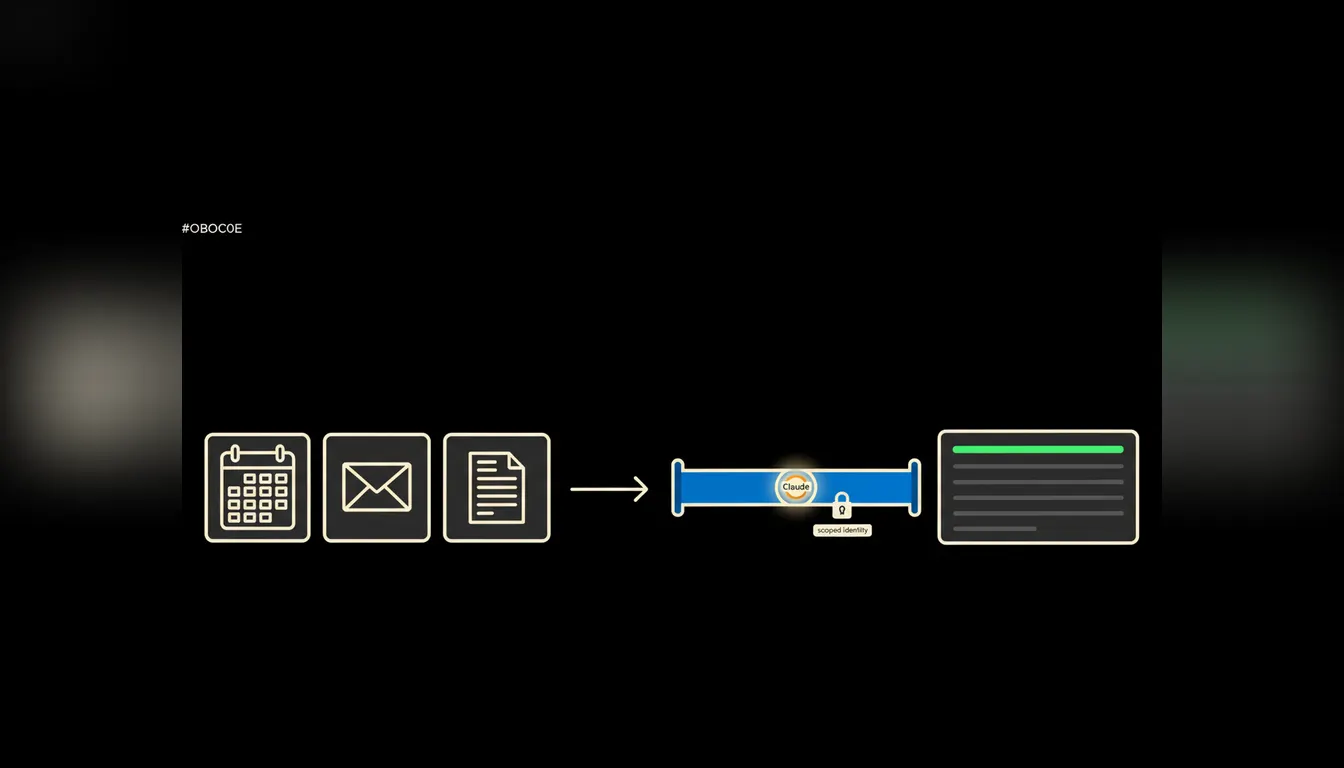
Say "AI assistant" and most people picture a chat window that writes an email slightly better than they would. That is a twenty-minute-a-day convenience. An assistant starts the moment it can see your calendar, your inbox and the folder where the contracts live, in other words the things your company has had all along.
The work nobody wants
A company of fifty people has no layer of staff preparing briefings. Everyone prepares their own, usually ten minutes before the meeting, somewhere between the door and the car. Open the calendar, jump to mail, jump from mail to the drive to find the last quote, jump from there to invoicing to check whether the client paid. Four windows, one question.
Volume is not the problem. Fragmentation is. What the company knows about one client sits in five systems and in the heads of two people, one of whom is on holiday. So the owner of a small firm spends a serious slice of the day on work that produces nothing: converting what the company already knows into something usable in the next ten minutes.
Half an hour of searching, three minutes of conversation.
— Meeting prep, abridged
What "an assistant with access" actually means
Claude works with what it can see. By default it sees nothing from your company, and that is correct. So the difference between a chat window and an assistant is not the model. It is access: the route by which your calendar, your inbox and your documents reach the model at all.
That route is an MCP server. It is a small, narrowly scoped bridge to one system. It carries only what it is meant to carry, and it runs under the login of the person asking. When a salesperson asks, the bridge sees their deals. When the bookkeeper asks, it sees the books. No copy of company data is created anywhere, because the bridge copies nothing. It simply looks with your eyes.
Concretely: the calendar, mail and drive you already run
In most Czech firms that means Google Workspace or Microsoft 365, a shared drive full of folders named Quotes_2024_final_v3, invoicing in Pohoda, Fakturoid or iDoklad, and a CRM that either exists or is merely called one. None of it changes. The bridge is built to what the company actually uses, and from day one it handles work that a person does by hand today.
- Walks through the day in the calendar and attaches, per meeting, the latest correspondence, the current quote and the invoice status for that client.
- Pulls out of the inbox what is genuinely waiting on your reply, separated from copies, confirmations and newsletters.
- Finds the current version of a document on the drive and says how it differs from the previous one, so nobody presents the March draft.
- After a meeting, drafts the notes, extracts the actions and leaves a follow-up email sitting in drafts.
- On Friday, assembles the week: what moved, what stalled and what was promised to whom.
Take a three-person sales office in Brno. The example is illustrative, but the shape of the work fits dozens of firms: twenty to thirty minutes every morning spent assembling something that then gets used for ten. Move that assembly onto a bridge and the morning becomes reading one page and correcting two sentences.
One persons habit becomes a company skill
In a chat window everyone eventually tunes their own routine. One wants the day in bullets, another in a table, a third with prices attached. That routine stays in their window and in their head, and it leaves with them when they do. Anthropic introduced the Agent Skills format for exactly this: a procedure written down once that Claude picks up whenever it is relevant.
In practice that is a skills library, built up the way a company builds any other internal material. The Monday briefing skill is written once, versioned, and on Monday morning the whole team runs it, each under their own permissions and over their own data. When the way of working changes, you edit one skill instead of ten private habits.
What an AI assistant will not do, and why that is good
It will not send the email. It will not confirm the date. It will not commit to a price or a discount. The follow-up sits in drafts until someone reads it, the meeting notes are a proposal until someone approves them. The assistant prepares the material; the decision stays with the person who is accountable for it.
That boundary is not timidity. It is the reason the bridge can go live next week. A system that only prepares makes mistakes you catch in ten seconds. A system that sends on its own makes mistakes you resolve on the phone with a client. The line can move in a year. Starting on the wrong side of it makes no sense.
What it would take
It does not start with a year-long project. It starts with one system, usually calendar and mail, because those are the two everybody actually uses. One bridge gets built, wired to your login, and left running with one team for a week. The whole thing runs on your infrastructure, in your tenant, with one audit trail. Only once the morning works do you add the drive, then the CRM, then invoicing.
What is left
The model is not the bottleneck. The gap between the model and the data your company already has: that is the bottleneck. Until somebody closes it, AI stays a clever text box you hand-feed context to. Once it closes, you stop spending your mornings acting as the search engine for your own company.
Write to us. A short call is enough to work out which system slows your mornings down the most, and what a first bridge to it would involve.