Automated invoicing is one of the first things business owners ask about when they start thinking about AI. For good reason: an invoice precisely describes work that was done, and most of the data needed to build one already lives in company systems. What is missing is a bridge that puts it all together without someone copying it by hand.
The work nobody wants
End of the month. On the desk: a list of completed projects. Eight jobs for five clients, different rates, different quantities, one client with a custom arrangement. The price list is in a spreadsheet, addresses in the CRM, project records in another tool. The invoice gets created in Pohoda or Fakturoid.
Moving data from one place to another takes time. A typical invoice for a multi-line project takes five to fifteen minutes: track down the source documents, verify the rate, enter the line items, check the total, save, send. Thirty invoices a month adds up to half a working day. And that is assuming nothing goes wrong.
"Thirty invoices, each one different. I know what belongs in them, but I still have to look everything up and retype it every time."
— Owner of a service company, eight employees, invoicing done manually each month
What automated invoicing via Claude actually means
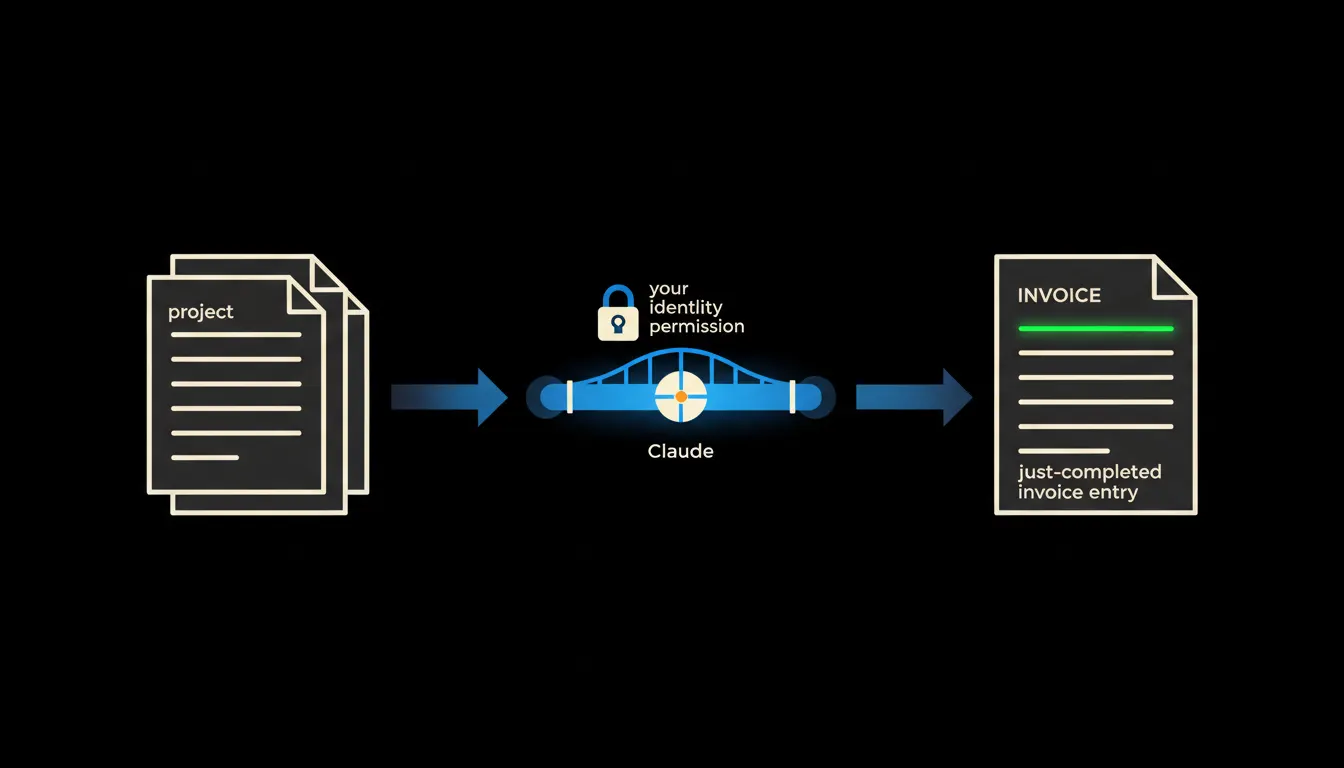
Automated invoicing with Claude is not a new piece of billing software. It is a bridge between systems the company already uses. Technically it is an MCP server: a small, precisely scoped component that lets Claude read project records from your spreadsheet or CRM and write invoices directly into Pohoda or Fakturoid. The bridge carries your identity and your permissions. Claude sees exactly the data you can see, nothing more.
The full flow looks like this: Claude reads the open project records, looks up the applicable rates from the price list, assembles the invoice with the correct line-item descriptions and totals, and saves it as a draft. You review and approve it. Sending is yours to do.
Concretely: connecting to Pohoda
Pohoda by STORMWARE is the most widely used accounting system in Czech SMB and exposes a REST API and XML import for outgoing invoices, the contact directory and price lists. The MCP server we build connects to that API under your login. Pohoda stays exactly as you know it: no reinstallation, no data migration.
- Claude reads the list of completed projects from your spreadsheet or CRM (via a second MCP server or directly from Pohoda).
- It looks up the applicable rates from the price list stored in Pohoda or a connected document.
- It assembles the invoice draft: client, line items, rates, due date, description text.
- It saves the draft into Pohoda as a pending document, waiting for approval.
- You review the invoice in Pohoda, adjust if needed, and send it to the client.
A concrete example: a design studio issues monthly invoices for social media management for ten clients. Each client has a retainer plus hourly charges for extra content. Claude knows the contracts and the price list. Each month it prepares ten invoice drafts in under a minute. The studio owner reviews them, adjusts three for edge cases, and sends the rest. Instead of two hours, invoicing takes twenty minutes.
What automated invoicing will not do, and why that is a good thing
Claude will not offer a discount unless it appears in the price list or explicit instructions. It will not create an invoice for a project that does not exist in the system. It will not decide whether a client with late payments gets a longer due date. Those decisions stay with a person, because they require judgement, not copying.
That boundary is exactly the reason the output can be trusted. The bridge moves data that is already in the systems. Interpreting exceptions, making commercial decisions and approving the result stay with the company. The invoice that comes out of the bridge reflects the actual state of the projects, not an estimate.
What it would take
We build one or two MCP servers: one to read project records (from a spreadsheet, CRM or Pohoda), one to write invoices into Pohoda or Fakturoid. Everything runs on your infrastructure or your cloud account, not ours. No data leaves your environment. The full connection is ready in days, not months, and requires no coding on your side.
The model is not the problem. The gap between your data is.
All the data needed to build an invoice already exists in your company. In Pohoda, in a spreadsheet, in the CRM. Claude is capable enough to read it, assemble it and prepare the document. The only missing piece was a bridge that carries your permissions. That is what we build.
Write to us. A short call is enough to figure out where your invoicing data lives and what the connection would involve. The result: instead of copying, you review.