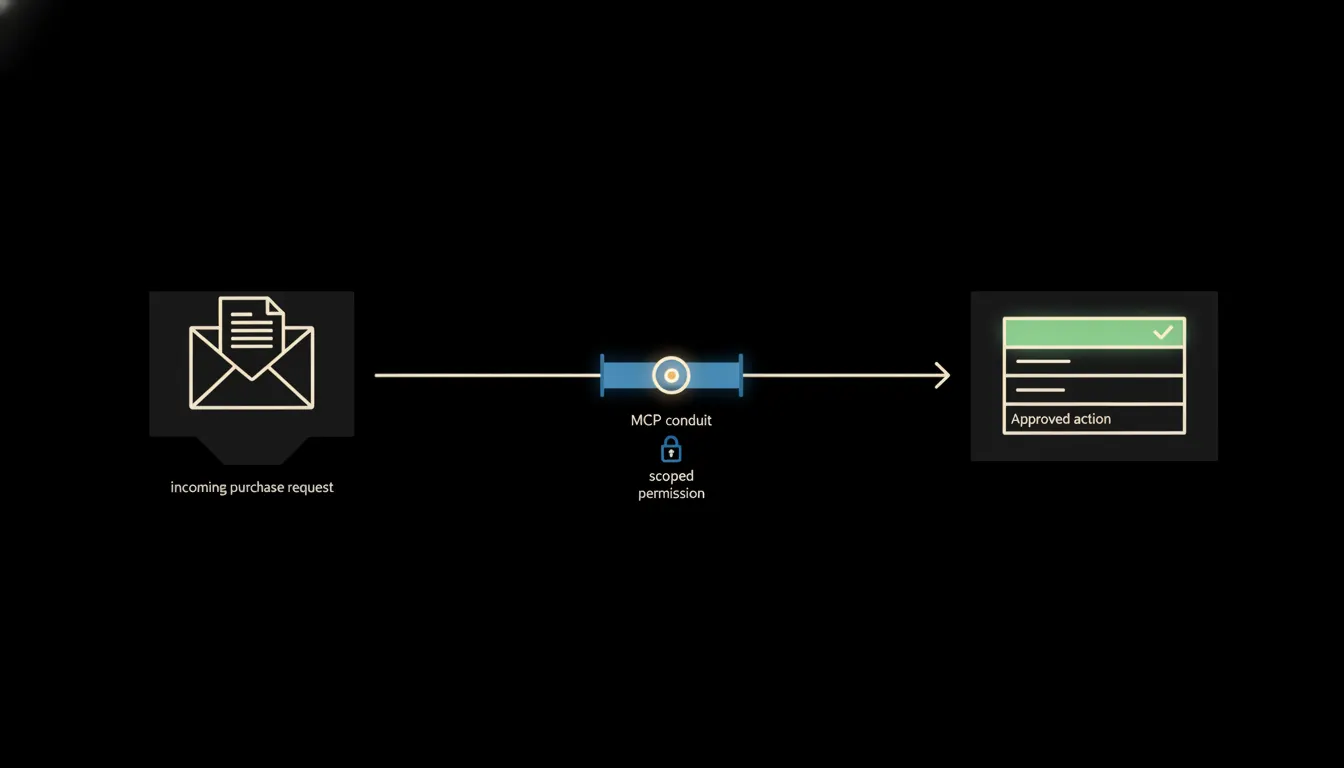
In a fifteen-person company, five to ten purchase requests land every day. Some are routine: office supplies, a subscription renewal. Some need a comparison with the last order, a check on whether the supplier delivered on time, or a look at whether the monthly spend is still inside the approved limit. The approver does all of that by hand. While they do, the request waits.
The work nobody wants
An employee sends an email: "We need a toner cartridge, 1 800 CZK, supplier ABC." The approver (the finance manager or the owner) opens the ERP, checks the payables position, flips to the approval log spreadsheet, looks up the last order from the same supplier, confirms the department's monthly limit. Then they reply by email. The whole thing takes eight minutes. For a toner cartridge.
Multiply that by five requests a day, twenty working days a month. You get over a hundred and forty minutes of pure administrative time (every month) spent on things where nothing is actually being decided. Context is just being retrieved. Meanwhile, the things that genuinely need a decision sit in the same queue.
By the time I looked up the order history for that supplier, my entire morning slot was gone. The decision itself took ten seconds.
— Finance manager at a trading company, thirty employees (illustrative scene)
What connecting your systems actually means
AI stack builds a small MCP server for your company. It connects to the systems you already have: Pohoda, Outlook, spreadsheets in Google Workspace, or an internal approval register. Claude then reads the relevant context for each new request with exactly the permissions the approver holds. No more, no less.
The result: instead of four emails and three browser tabs, the approver gets one message. It contains a summary of the request, the current monthly limit for that department, the last order from the same supplier, and a flag indicating whether this is routine or worth a closer look. The approver says yes or no. Claude steps back.
Concretely: Pohoda and Outlook
Pohoda runs in thousands of Czech companies as the primary record of payables, suppliers, and purchase orders. Outlook holds the communication history. An MCP server added to this pair can (within a single query) pull the current limit from Pohoda, the last three orders from the same supplier, and any earlier email thread. All the manual look-up work the approver used to do completes in seconds, before the approver has even opened the message.
- Verify whether the request exceeds the approved monthly department limit.
- Show the last orders from the same supplier, including prices and delivery dates.
- Flag requests that combine multiple line items or exceed internal thresholds for higher-level approval.
- Automatically move an approved request into the queue in Pohoda or the approval log.
- Notify the requester once the decision is made, no follow-up pinging required.
Consider an e-commerce company with ten employees: the commercial director approves stock purchases from three different suppliers, five to eight requests per week. After the connection is set up, they receive a morning summary with context pulled from Pohoda. Approving the whole queue takes ten minutes instead of an hour. An illustrative example, but accurate in its mechanism.
What Claude does not do in procurement, and why that is a good thing
Claude does not sign contracts. It does not confirm purchase orders in the system without the approver's explicit sign-off. It does not select suppliers. It does not rule on exceptions to company policy. Everything with a commercial or legal consequence stays with a person.
This boundary is not a weakness. It is the reason the whole pattern holds up. The approver can trust the summary precisely because Claude never oversteps its scope. The audit trail shows who approved and when. Accountability is clear. The system never produces a situation where "the automation approved it".
What it would take
One MCP server, connected to Pohoda or your ERP of choice, to your mail account, and optionally to an approval log spreadsheet. The whole thing runs on your infrastructure, not ours. No new tool for employees to learn, no external platform to log in to, no company data leaving for a vendor's server.
What remains
The model is not the bottleneck. The bottleneck is the gap between Claude and the data your company already holds, in Pohoda, in email, in a spreadsheet. Once that gap is closed with an MCP server, the approval queue stops being the place where things get stuck and becomes the place where things get done.
Write to us. A short call is enough. We will show you what the connection looks like on data you already have.