Every small company has a Friday ritual. Someone — an assistant, a sales director, or the owner — opens a spreadsheet and begins. CRM: download last week's deals export. Accounting: pull invoices and payments. Warehouse: check stock levels. Online store: how many orders, what revenue. Then stitch it all into one overview, verify the numbers line up, and finally — two hours after starting — send the report to management.
The work nobody wants to do
The problem isn't that people can't work with data. The problem is that the systems don't talk to each other. The CRM knows nothing about invoices. Accounting knows nothing about orders. The warehouse knows nothing about what's flowing in from ads. Every system sits in its own corner and releases data only on request — and that request always looks the same: manual CSV export, open Excel, copy columns, check totals.
The result is hours spent every week preparing data instead of reading it. And worse: anyone who's assembled such a report knows how easily mistakes creep in. Wrong filter. Stale export. Overlooked row. The report goes out, management receives it, and the numbers are — just slightly — wrong.
A month in numbers. Four systems, twelve exports, one file. Every Friday afternoon.
— A scene from every small company
What connecting your data actually means
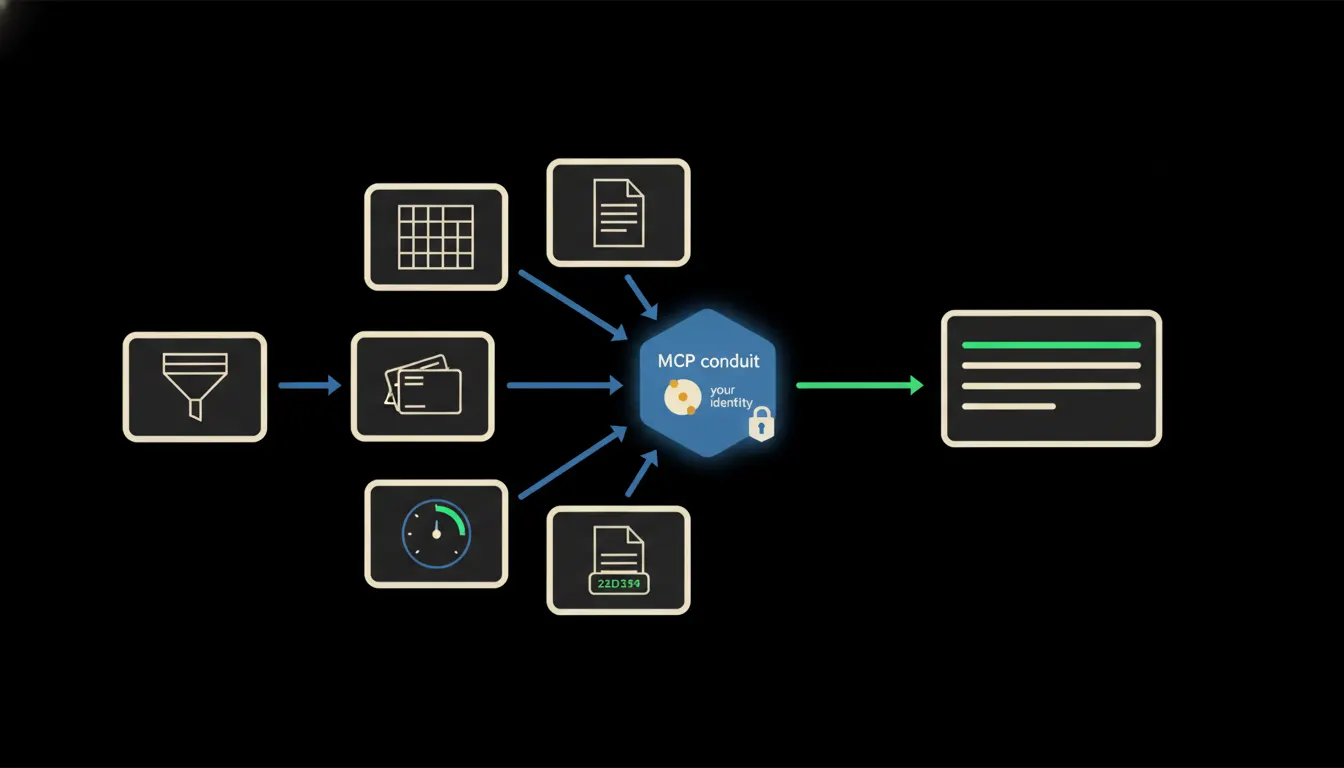
Instead of exports, we add small MCP servers between Claude and your systems — single-purpose bridges that can read data directly from the source. One server knows how to query Pohoda for invoices. Another knows how to read deals from the CRM. A third understands the structure of your online store. Claude then talks to these servers the way you'd talk to a colleague: "Give me a revenue summary for last week, compare it to the week before, and tell me where the gaps are."
Each MCP server carries your identity and permissions. The business owner sees company-wide data. A sales rep sees only their own numbers. The warehouse manager sees only stock. The system releases nothing beyond what the specific person is authorised to access — and that applies to Claude too. No shared data copy, no central export, no extra database.
Concretely: accounting, CRM, and e-shop in one query
Take a typical Czech company with an online store: orders come through the e-shop platform, invoicing runs in accounting software, the sales team works in a CRM. Three systems, three different interfaces, three different export formats. With MCP servers for each of these, "how are we doing this week?" becomes a question — and Claude assembles an answer in a fraction of a minute. That's data across potentially dozens or hundreds of records, which would take hours to prepare manually.
- Reads invoices from accounting for a given period (paid, unpaid, overdue)
- Pulls closed and open deals from the CRM for the same week
- Compares orders and revenue from the e-shop against the previous week
- Assembles a single overview and flags anomalies or exceptions
- Answers follow-up questions: "Which customer has the biggest outstanding balance?" or "How did this look three months ago?"
A small business owner who tries this might describe it like this: I ask a question, I get an overview, I follow up on two things, and within ten minutes I have more than I could have manually assembled in an hour. The key point: data stays in the systems — nothing is copied, nothing is exported.
What AI reporting won't do — and why that's fine
Claude doesn't collect data and issue orders. The report is a foundation — not a decision. If revenue has dropped, Claude describes it and can point to patterns in the data ("orders fell on Tuesday and Wednesday, when ad traffic also declined"). But what you do next — whether you call the sales team, adjust the campaign, or wait — is yours to decide.
And that's precisely what makes this trustworthy. If Claude were making decisions on its own — and you were merely checking its work — that would be a different kind of system. Here the sequence is clear: Claude gathers and assembles data, you think about what it means and what to do.
What it would take
For each system you want to connect, we build one MCP server. Each server is small, single-purpose, and runs on your infrastructure — not ours, not a vendor's cloud, not a shared database. Your data doesn't move outside your environment. Claude reads through the server, responds in chat, done.
This isn't a year-long BI project. A first connection — say, your accounting software and one CRM — takes days. The outcome is one logged-in user with Claude, access to their data, and natural-language questions. No new dashboard, no new training, no new system on top of the ones you already have.
What's left
The model is not the bottleneck. Your accounting system has the data. Your CRM has the data. Your e-shop has the data. The bottleneck is the gap between those systems and the person who needs a quick answer. That gap is what we close.
If someone on your team spends every Friday assembling a report instead of thinking about it, write to us. A short call is enough — we'll show you what this would look like for your specific systems.